
1win App Malaysia: Android and iOS Guide
The 1win app puts the sportsbook, the casino and the cashier into one mobile client, and it runs on Android and iOS alike. This guide covers where the file comes from, how installation works, which permissions the app wants, and how to fix it when something breaks. That last part matters more than it sounds.
Key Takeaways
- Native Android and iOS builds, plus a home-screen web version and a Windows client, all on one account.
- The Android file comes from the operator’s own site rather than Google Play, so the source matters.
- Leave around 100 MB free. A mid-range phone from the last few years runs it fine.
- Install and update failures usually come down to storage, cache or a half-finished download.
- 1win holds a Curacao gaming licence, which is not approval from any Malaysian authority.
Is there a 1win app for Android and iOS?
Yes. 1win runs native builds for both Android and iOS, plus a browser home-screen version and a Windows client, all tied to one account and one balance.
The mobile client carries the full platform rather than a trimmed companion: over 15,000 casino titles by the operator’s own count, plus a sportsbook running 2,000 markets a day across 40 plus sports, live streaming, Cash Out. Aviator and Lucky Jet sit next to slots and dealer tables; the full sportsbook line-up has the betting side in detail. The account is shared too, which is the part people actually notice: a bet placed at lunchtime turns up in the browser that evening, same balance, same history.
Where the app comes from, and how to check the source
The Android file comes from 1win’s own site rather than Google Play, so verifying the domain before you download is the single most useful habit on this page.
Google Play and the App Store restrict real-money gambling apps in most markets, so operators distribute Android builds directly. Normal for the industry. Does that make it risky by itself? Not really, though it moves the verification job onto you, and that is where people cut corners.
- Type the address yourself, or use a saved bookmark. Not a link from an ad or a group chat.
- Read the address bar character by character, because cloned domains tend to differ from the real one by a single letter, an extra hyphen, or an ending that is almost right.
- Treat any file sold as a mod or an unlimited version as hostile, since those builds exist to harvest the logins of people who wanted a shortcut.
- Never re-enter your password on a page reached through an unfamiliar link.
Bank Negara Malaysia keeps a public Financial Consumer Alert list, a free second opinion on any unfamiliar payment-related site.
Installing the 1win app on Android
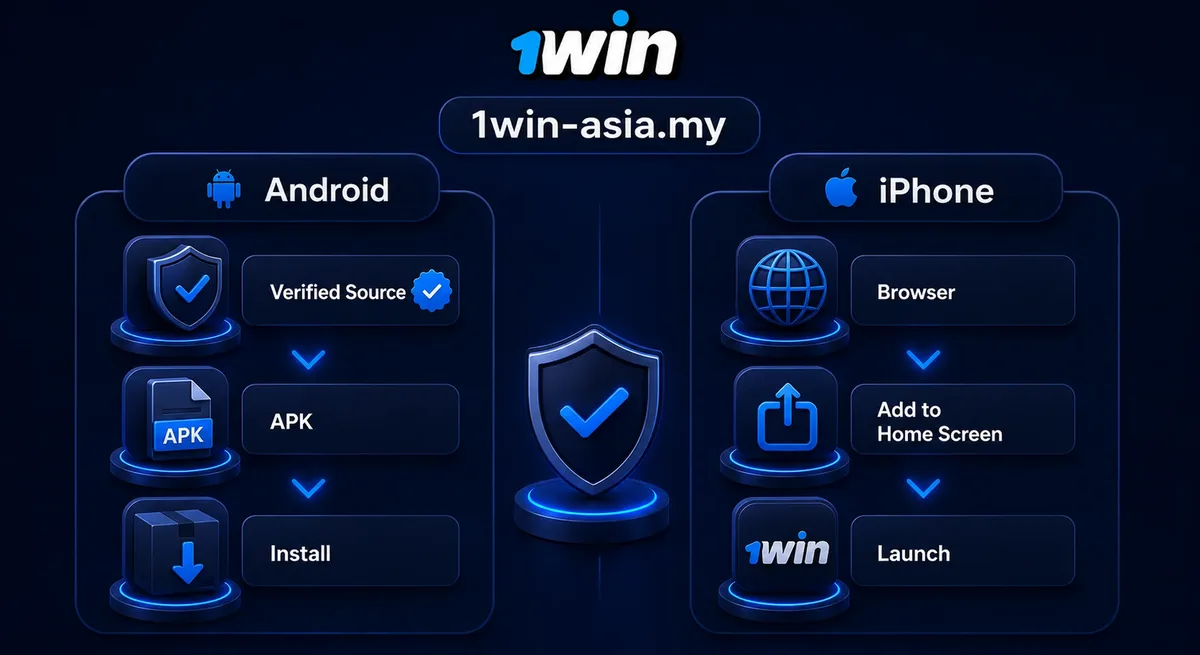
Download the file from the official 1win site, allow your browser to install apps from that source once, then open the file and confirm.
- Open the 1win site in Chrome or whichever browser you use.
- Find the app section and tap the Android download link.
- Let the download finish. A partial file is the usual culprit when nothing happens on tap.
- Tap the file. Android asks if this browser may install apps from unknown sources. Grant it.
- Confirm the installation and open the app.
- Sign in, or register first: the flow is identical in app and browser, and how account creation works covers it.
That prompt is standard for any file outside Play, it applies to the browser rather than to 1win, and you only grant it once.
Setting up 1win on an iPhone
Install the iOS app where the listing is reachable in your App Store region. Otherwise open the site in Safari, tap Share, and choose Add to Home Screen.
Apple’s rules on gambling apps vary by store region, so the listing shows for some users and not others. Nobody at 1win controls that part.
- Open Safari. Add to Home Screen behaves reliably there, less so in Chrome for iOS.
- Load the 1win site and tap the Share icon.
- Scroll down and select Add to Home Screen.
- Adjust the name, then tap Add.
You get a full-screen icon that opens without browser chrome, behaves much like an installed app, and stays current on its own because the changes land server-side. Nothing to reinstall. iPad works the same way.
Device compatibility and storage
A phone running Android 6.0 or newer, or an iPhone on iOS 12 or newer, handles the app comfortably. Budget around 100 MB of free space.
Malaysian shelves lean towards mid-range Android, and that is the hardware this client is built for. Not flagships.
| Device group | Typical requirement | How the app arrives | Worth knowing |
|---|---|---|---|
| Android phones (Galaxy A and S, Redmi, OPPO, vivo, realme, Honor) | Android 6.0 or newer, 100 MB free | Direct download from the 1win site | Needs install-unknown-apps once |
| Android tablets | Android 6.0 or newer | Same file as phones | Layout scales up, not redesigned |
| iPhone | iOS 12 or newer | Store listing where reachable, or Safari home-screen install | Updates itself |
| iPad | iPadOS 12 or newer | Same as iPhone | Usable, interface is phone-first |
| Windows PC | Windows 10 or newer | Desktop client from the site | Same login and balance as mobile |
The download itself is small; storage only bites later, once cached images and match data pile up and a phone running near empty starts balking.
Permissions the app asks for, and the notifications you get
The app asks for storage, notifications and sometimes camera access. Each one maps to a single function, and refusing one disables only that function.
- Storage or files: saving the update package, and attaching documents when the account needs verifying.
- Camera: photographing an ID document during verification, or scanning a code at the cashier, and refusing it still leaves you the gallery upload.
- Notifications: bet settlement, match alerts, and expiry dates on offers you hold.
Location is not required to play. If a build asks for contacts or SMS access, delete it. A gambling client has no use for either, and that request is the clearest sign of a repackaged file. No exceptions there.
Keep notifications on selectively. Settlement alerts save you opening the app, and expiry reminders earn their place because current offers and their terms run on a clock (see the bonus page linked in the FAQ below).
Keeping the app up to date
Android updates arrive from the site or through a prompt inside the app, and installing a newer build over the old one keeps your account and login intact.
No store handles distribution, so nothing updates automatically. How often should you look? The app flags a newer build when one lands, and otherwise a glance at the app section every few weeks covers it, after which you install straight over the existing copy, since uninstalling first only costs your session.
One caveat, and it trips people up: the new file has to come from the same place as the old one. A build from elsewhere refuses to install over the top. That refusal is the system protecting you, not a bug to route around.
Troubleshooting checklist when the app misbehaves
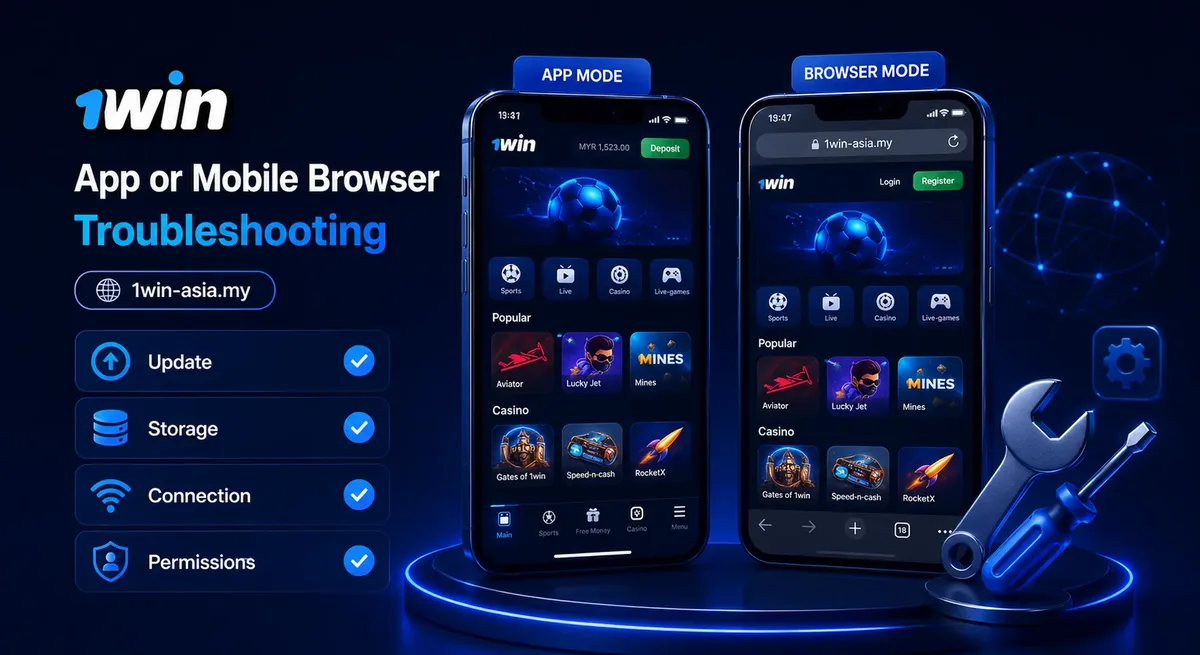
Most failures trace back to four things: no free space, a stale cache, a blocked install permission, or a download that dropped halfway. Work through the symptom that matches.
- The download stalls or the file will not open: clear a few hundred megabytes and retry over Wi-Fi. Partial files look complete in the file manager and fail silently.
- Android reports «App not installed»: check install-unknown-apps for the browser you used, then remove any older copy from another source.
- The app opens blank or frozen: clear the cache under Apps, 1win, Storage, remembering that clearing cache leaves you signed in while clearing data does not.
- Odds or balance look stale: pull to refresh and then check the signal, since a weak connection keeps the last figures it loaded sitting on screen.
- An update is offered on every launch: the installed build is out of step, so reinstall from the site and the loop stops.
- Login fails right after an update: reset the password from the site, since repeated attempts trigger a temporary lock.
- The iPhone shortcut shows an old layout: clear Safari’s website data for the domain, then add it again.
If none of that moves the needle, the 24/7 support team can see the account from their side. Send the device model, the OS version and a screenshot. Saves a round of questions.
App or mobile browser: which one suits you
The app reopens faster and carries notifications. The browser version needs no install, no storage and no manual updating. Both are the same platform underneath, so the choice comes down to habit rather than access.
| App | Mobile browser | |
|---|---|---|
| Getting started | Download, permission, install | Open the page |
| Updates | Manual on Android | Automatic |
| Notifications | Per category | Browser-dependent |
| Odds formats | Decimal, Malay, Hong Kong, Indonesian | Same |
Bet a few times a month and the browser version of the site covers it with less fuss. Daily scores, settlement alerts, a page you would rather not reload: that is where the app earns its space.
Safety, licensing and account basics
1win operates under a Curacao gaming licence. A foreign licence is not approval, endorsement or regulation by any Malaysian authority, and the distinction matters before you deposit.
Your own side of it is unremarkable: a password you do not reuse, verified contact details, logging out on shared devices. Dull advice, and it keeps working. The cashier in the app is the one from the site. Locally familiar options such as DuitNow, Touch ‘n Go, GrabPay, Boost and FPX are what Malaysian players reach for, so check which payment options are available first.
Deposit and bet limits, self-exclusion and responsible gambling material sit in account settings. Set a limit while you are calm, not mid-session. Play is 18+, and it stays entertainment rather than income.
FAQ
Is the 1win app free?
Yes. Downloading and installing costs nothing; funds are needed only for real-money bets.
Will updating the app erase my account or my history?
No. Your account, balance and history live on the server, so a newer build leaves them untouched.
Does the app work on an older phone?
Usually. Android 6.0 or newer and iOS 12 or newer covers most handsets in daily use. Very old or low-storage phones do better on the browser.
Does a Curacao licence make 1win legal where I live?
No. It means the operator holds a licence issued in Curacao. That says nothing about Malaysian law and carries no local approval.
Do bonuses and promo codes work inside the app?
Yes, offers are claimed in the app exactly as on the site. Terms, wagering and expiry live on the bonus page.